{K} K-Tech Studio
K-Tech Studio v1.0.4 オフラインOffline MIT

ファイルが増えても、入口から辿れるようにする When the vault grew, keep a door you can walk through

K-Tech Vault Atlas は、フォルダと HUB(MOC)の地図をスキャンして、足りないところをパネルで直すプラグインです。ノートが増えて迷子になった人にも、まだ使い方に自信がない人にも、「どこから辿ればよいか」を先に見えるようにするために作りました。

K-Tech Vault Atlas scans folder and hub (MOC) layout, then lets you fix gaps from one panel. It is for people whose notes piled up, and for people who still find the vault hard to navigate — so the next step is visible before you reorganize.

設定 → Community plugins → Browse で「K-Tech Vault Atlas」を検索。ID は k-tech-vault-atlas

Settings → Community plugins → Browse, then search “K-Tech Vault Atlas”. ID: k-tech-vault-atlas.

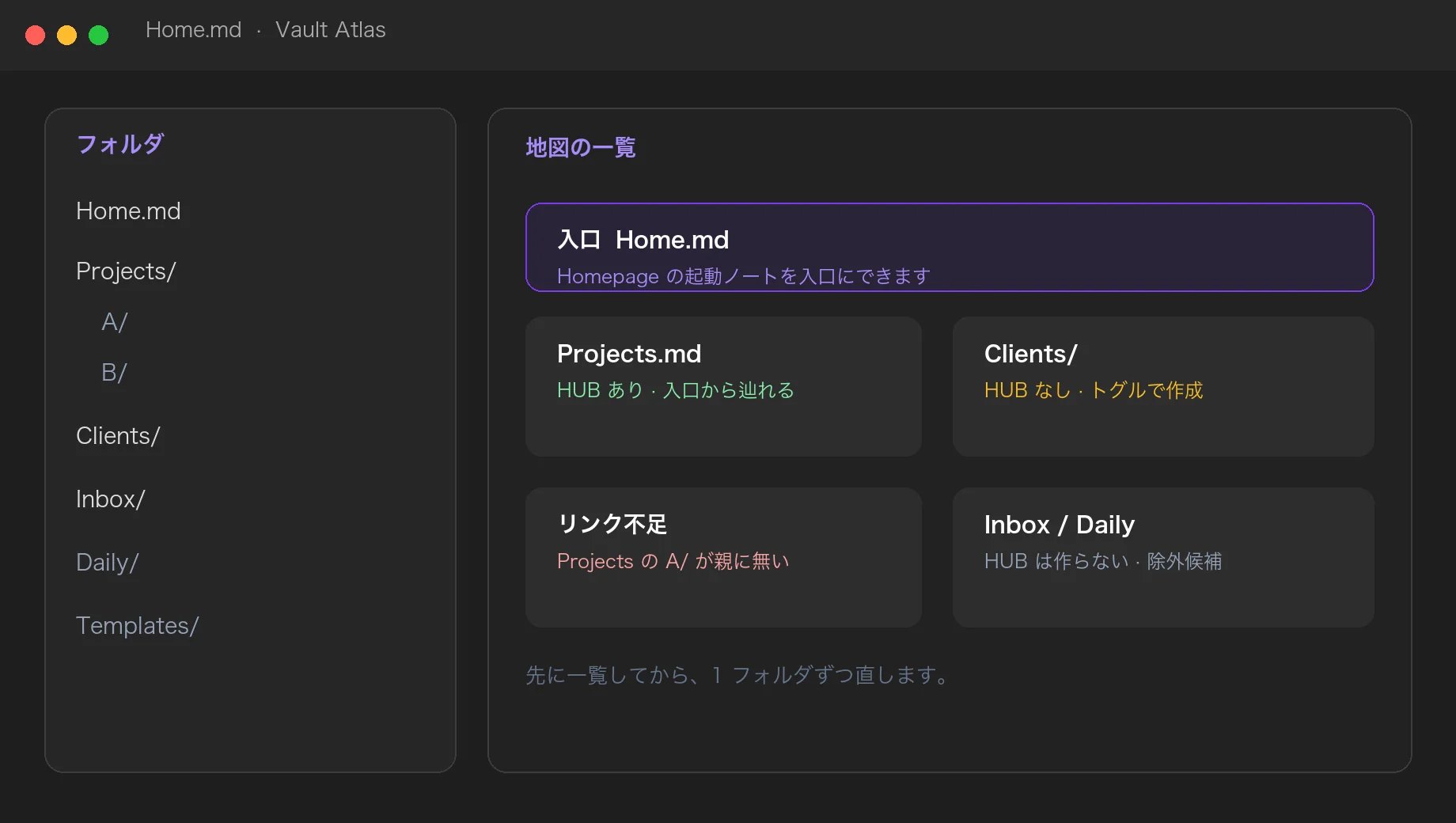
入口、すでにある HUB、まだ無い HUB、触ってほしくないフォルダの一覧イメージ

入口、すでにある HUB、まだ無い HUB、触ってほしくないフォルダを、先に一覧にします。

It lists the entry, hubs you already have, hubs still missing, and folders you do not want touched — first.

画像は画面の構成を示すものです。お使いのテーマやモードで、実際の表示は変わります。

These images show layout, not a pixel-perfect screenshot. The actual screen depends on your theme and light or dark mode.

誰のためのものか Who it is for

ファイルが増えた人

The vault got large

フォルダは増えたのに、親 HUB から辿れない。入口ノートはあるのに、新しい HUB がリンクされていない。そういう「地図の穴」をスキャンで出します。整理の途中で全部を動かさなくてよいです。

Folders multiplied, but parent hubs do not list the children. The startup note exists, yet new hubs are not linked. Atlas lists those gaps. You do not have to move the whole vault first.

使い方が分からない人

Still learning the layout

MOC や HUB の作り方が曖昧でも、トグル ON でテンプレから HUB を作れます。OFF はゴミ箱へ移してフォルダを保留するだけです。手書きの地図は Deep Scan で守れます。

If hub (MOC) notes still feel unclear, turn a toggle ON to create one from a template. OFF moves it to trash and defers the folder. Hand-written maps can be locked in Deep Scan.

使い方(3 ステップ) How to use it (three steps)

リボンの地図アイコン、またはコマンド「Open Vault Atlas」

Ribbon map icon, or command “Open Vault Atlas”

パネルが開くと、まず通常スキャンが走ります。入口ノート、既存 HUB、推奨、リンク不足、保留が一覧になります。

The panel runs a quick scan first. You get the entry note, existing hubs, recommendations, link gaps, and deferred folders.

トグルで 1 フォルダずつ直す

Fix one folder at a time with toggles

ON で HUB 作成(確認あり)。OFF でゴミ箱へ(確認あり)。入口・external・保護中は消えません。親リンクと入口リンクはボタンで追記できます。

ON creates a hub (with confirm). OFF sends it to trash (with confirm). Entry notes, external hubs, and protected hubs stay. Parent and entry links can be appended in one click.

構造が大きく変わったら Deep Scan

When the layout changes, run Deep Scan

手書き HUB の保護と、Inbox / Daily / 設定フォルダなどの除外候補を確認します。Folder Guide は空フォルダや命名のゆれを報告するだけで、自動では動かしません。

Protect hand-written hubs and review exclude suggestions (Inbox, Daily, config folder). Folder Guide only reports empty folders and naming drift. It does not move files.

便利なところ(詳しく) What you can do, in detail

画像は画面の構成を示すものです。お使いのテーマやモードで、実際の表示は変わります。

These images show layout, not a pixel-perfect screenshot. The actual screen depends on your theme and light or dark mode.

通常スキャン — いまの地図を数字で見る

Quick scan — see the map as a list

入口の有無、HUB の件数、推奨フォルダ、親 HUB からの未リンク、入口から未リンクの HUB、保留中のフォルダを一度に出します。Vault の外には何も送りません。

It lists whether the entry exists, hub counts, recommended folders, missing parent links, hubs not linked from the entry, and deferred folders. Nothing leaves the vault.
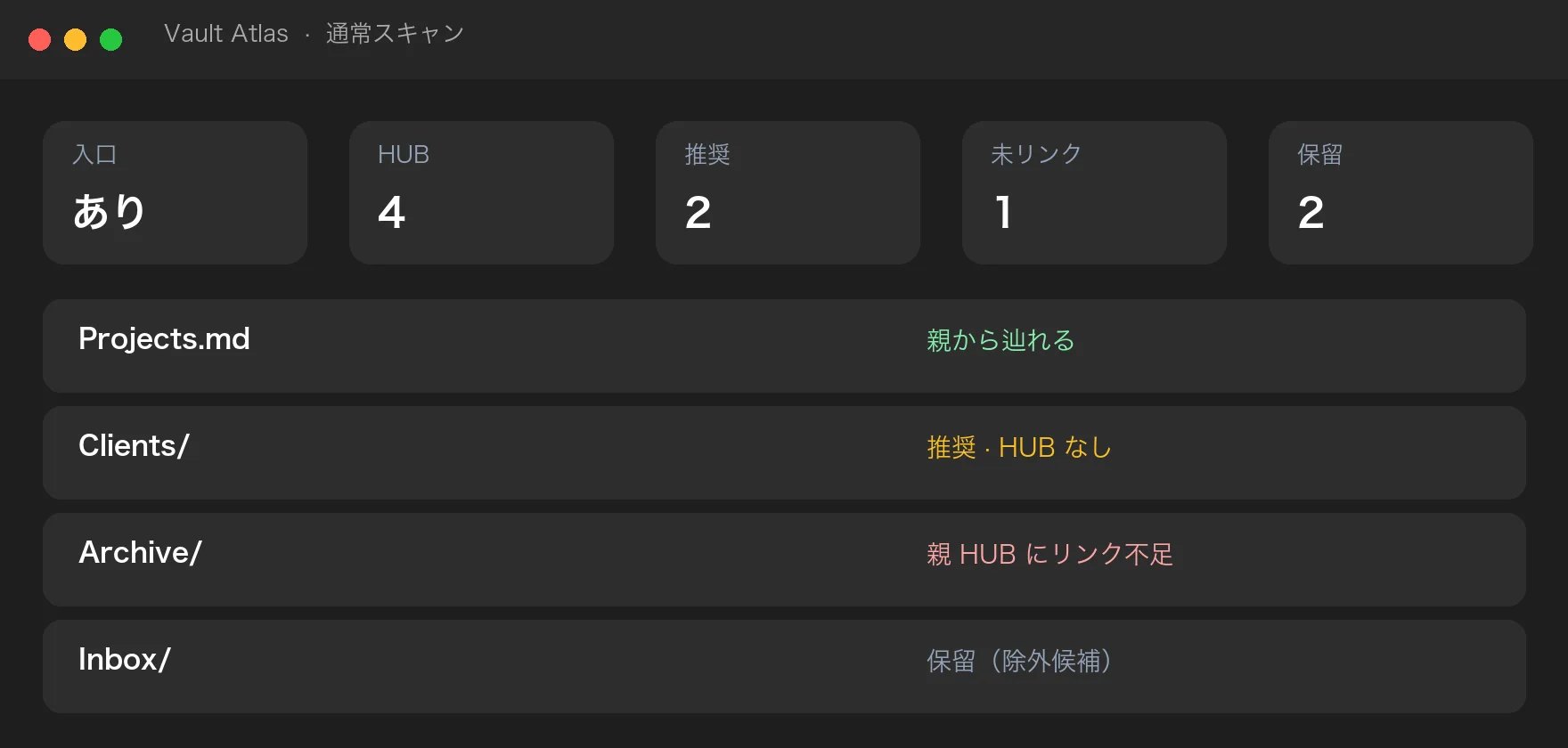
通常スキャンの件数とフォルダ一覧のイメージ

HUB トグル — 作る・やめるが同じ画面

Hub toggles — create or step back in one place

推奨行のトグルを ON にすると、フォルダ名に合わせたテンプレで HUB ノートを作ります。OFF にすると HUB をゴミ箱へ移し、そのフォルダは保留リストに入ります。ノートが増えたら「再検討」に戻します。確認ダイアログを挟みます。

Turn a recommendation ON to create a hub from a template named after the folder. Turn OFF to trash the hub and defer the folder. If note count grows, it comes back for review. A confirm dialog sits in between.
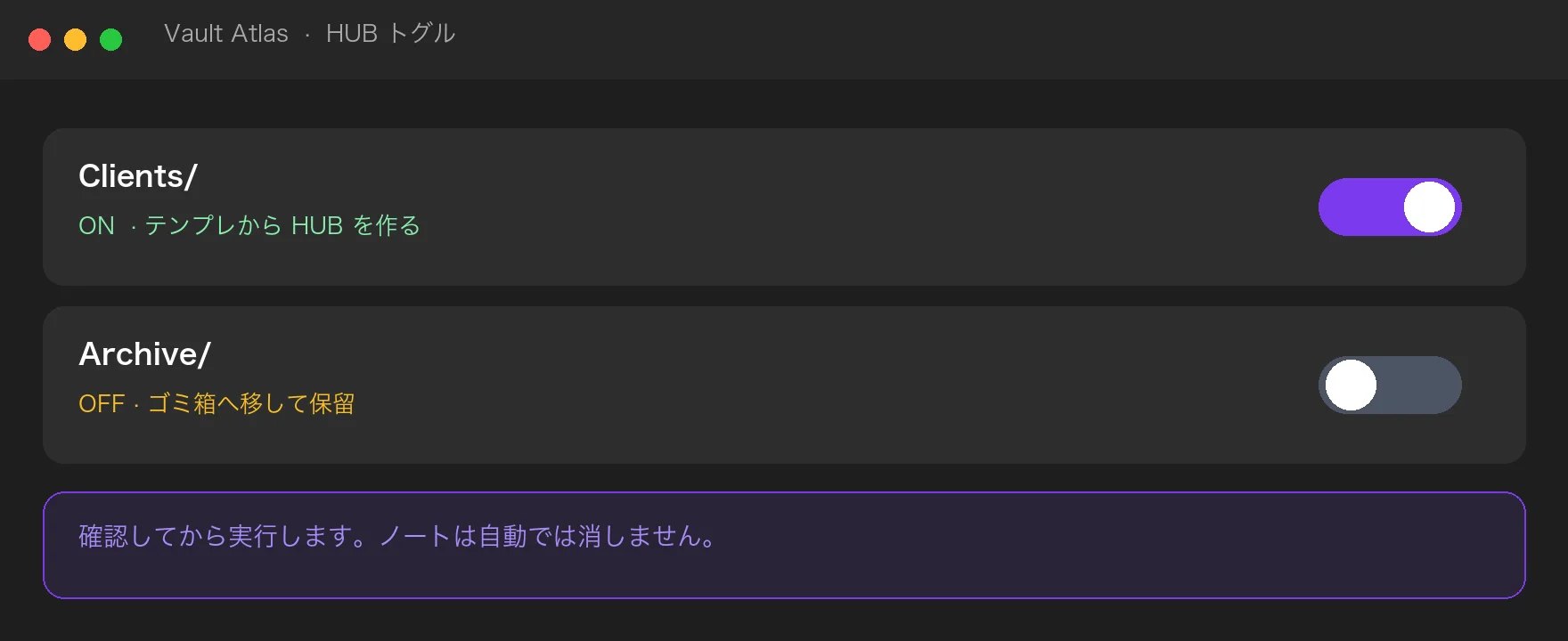
HUB を作る・やめるトグルと確認のイメージ

リンクの穴 — 親と入口へ、1 クリックで追記

Link gaps — append to parent and entry in one click

子 HUB があるのに親の本文に無い、入口から辿れない、という穴を出します。wikilink を追記するだけで、フォルダの移動はしません。

It finds child hubs missing from the parent note, and hubs missing from the entry. It only appends wikilinks. It does not move folders.
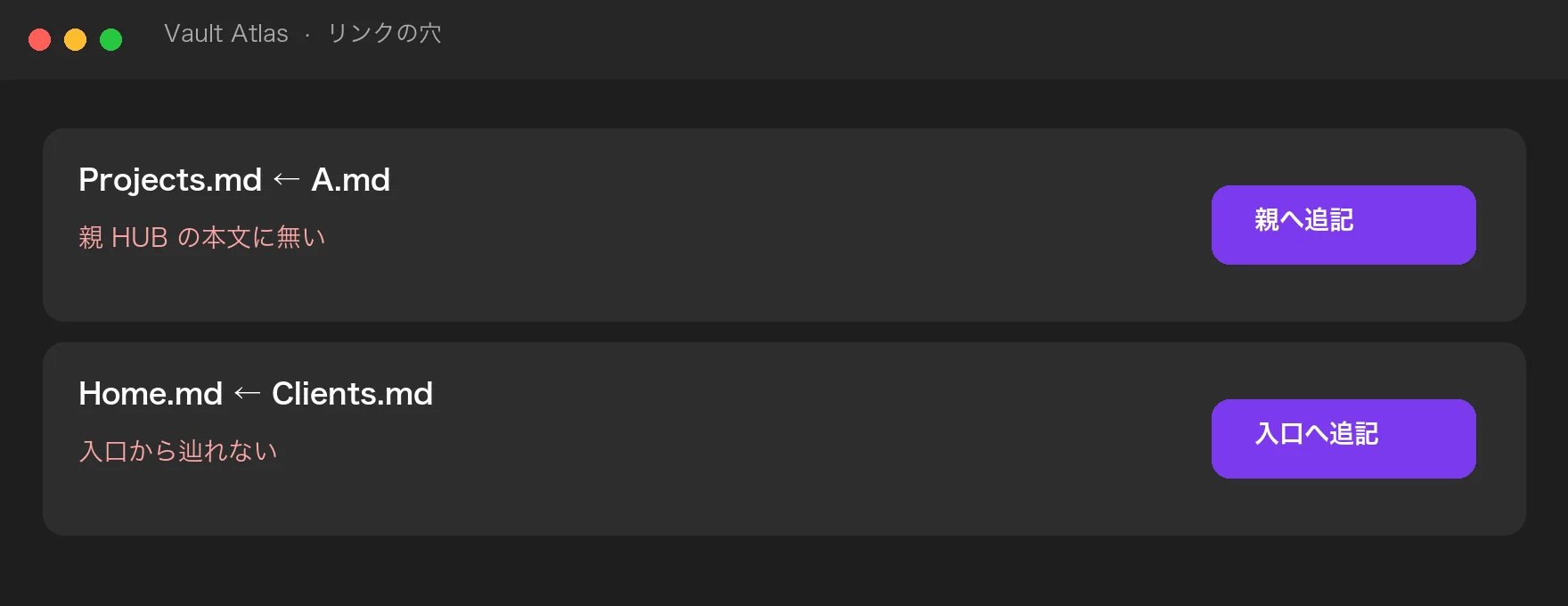
親 HUB と入口へリンクを追記するイメージ

Deep Scan — 手書きを守り、触らない場所を決める

Deep Scan — protect hand-written maps, decide what to skip

入口ノート、frontmatter の hub-managed: external、Deep Scan で付けた保護は削除できません。Inbox や Daily、設定フォルダは除外候補として出します。フォルダ構成を大きく変えたときだけ走らせれば十分です。

The entry note, hub-managed: external, and Deep Scan protection cannot be deleted. Inbox, Daily, and the vault config folder show up as exclude suggestions. Run this when the layout actually changed.
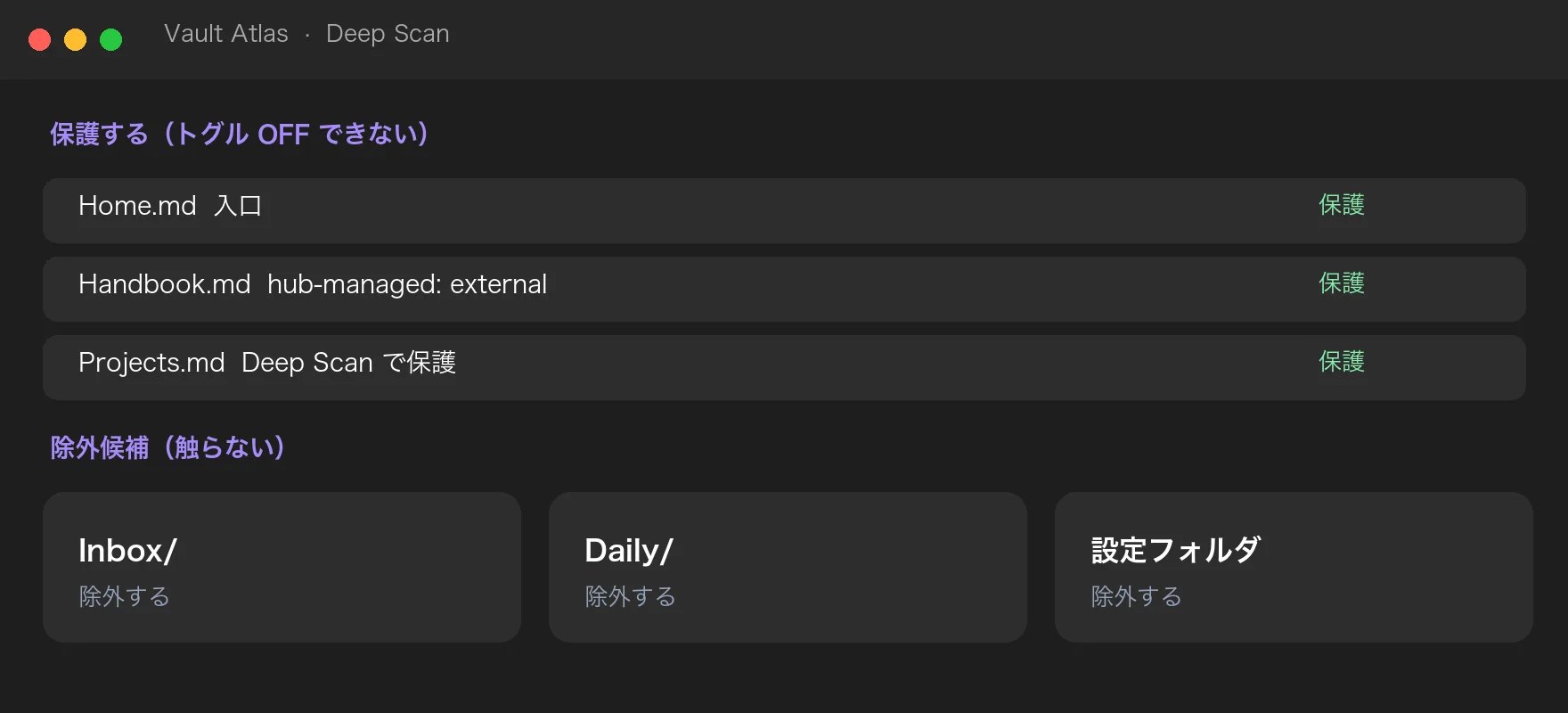
Deep Scan の保護と除外候補のイメージ

Folder Guide — 空・一段まとめ・命名のゆれ

Folder Guide — empty, nested-only, naming drift

空フォルダ、ノートが無くサブフォルダだけの場所、名前が近いフォルダを報告します。自動ではリネームも移動もしません。人が見てから決めます。

It reports empty folders, folders that only contain subfolders, and near-duplicate names. It never renames or moves them. You decide.
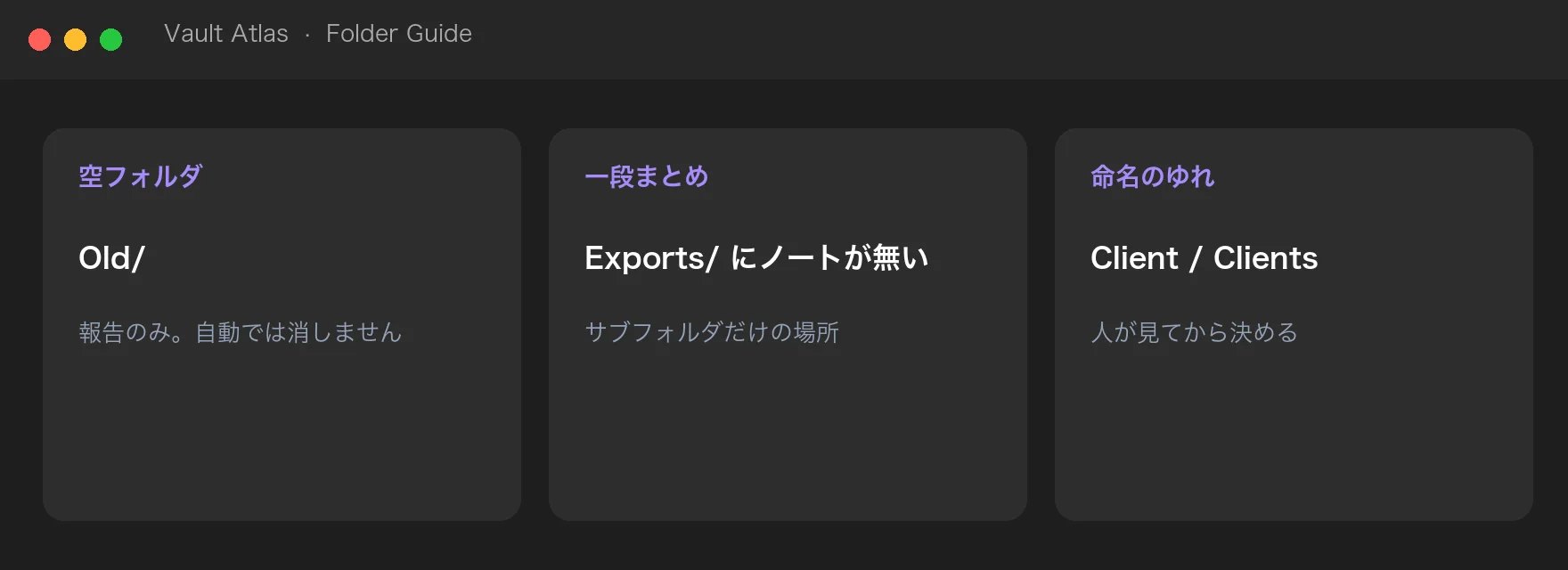
空フォルダ・一段まとめ・命名のゆれを報告するイメージ

Homepage 連携 — 起動ノートを入口にする

Homepage integration — use the startup note as the entry

Homepage プラグインが入っていれば、起動ノート(kind: File)を Atlas の入口にできます。Homepage の設定は読み取るだけで、書き換えません。解決できないときは手動パス(既定 Home.md)に戻します。無ければ作成できます。

If the Homepage plugin is enabled, Atlas can use its startup note (kind: File) as the entry. It only reads Homepage settings. If that fails, it falls back to the manual path (default Home.md), which you can create.
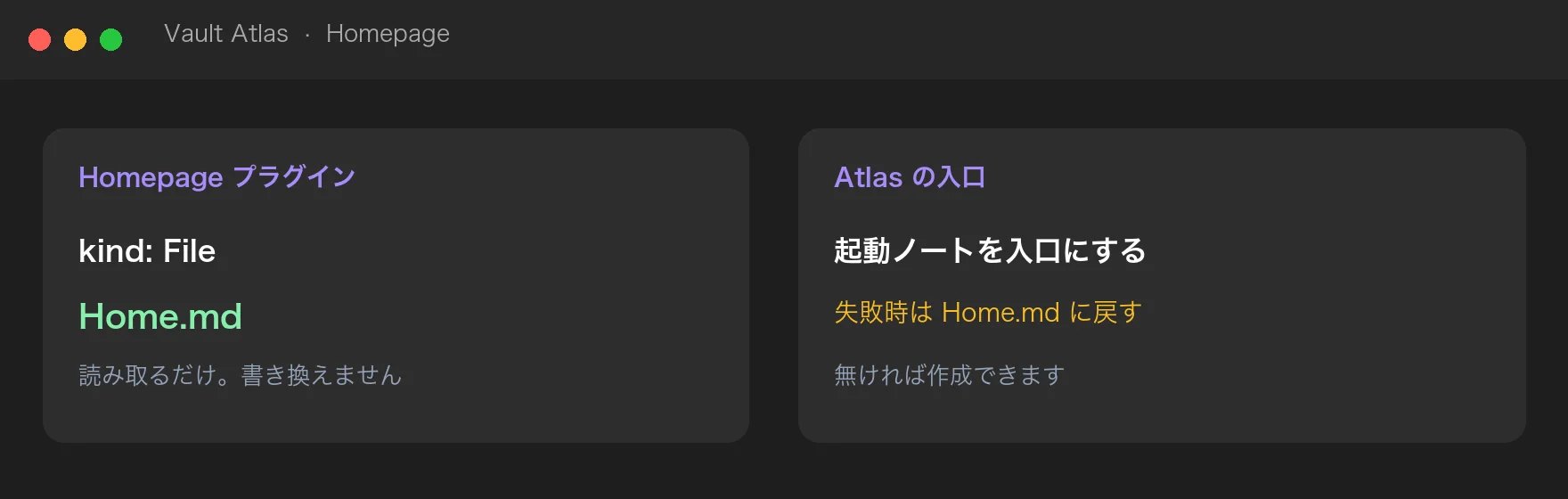
Homepage の起動ノートを入口にするイメージ

レポート — Vault に残すか、コピーするか

Reports — save in the vault or copy

スキャン結果を Markdown にして、設定したフォルダ(既定 90 System/Vault Atlas/)へ保存できます。クリップボードへコピーもできます。除外ルールは Vault Profile として端末内の data.json に残ります。

Export the scan as Markdown into a folder you choose (default 90 System/Vault Atlas/), or copy it. Exclude rules stay in local data.json as the Vault Profile.
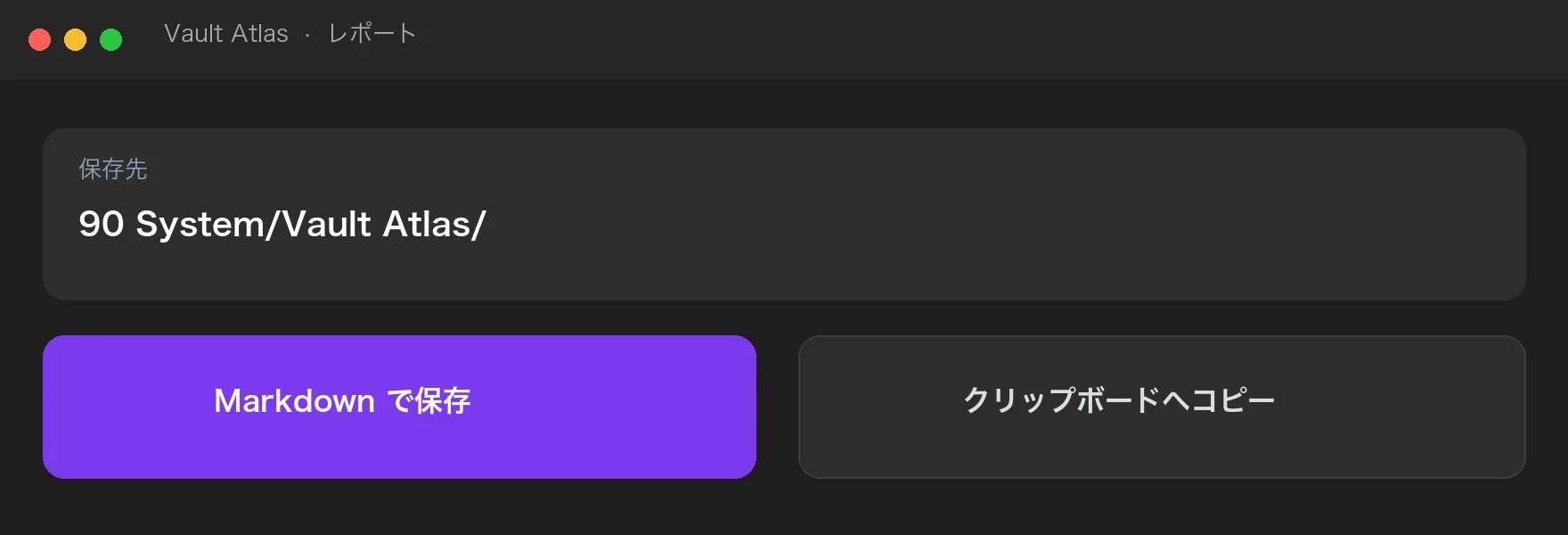
スキャン結果を Markdown 保存またはコピーするイメージ

やらないこと What it does not do

Vault 全体の自動整理

No whole-vault auto-tidy

フォルダの一括移動やリネームはしません。

It does not bulk-move or rename folders.

クラウド送信

No cloud upload

スキャンは端末内だけです。Buy Me a Coffee は押したときだけブラウザが開きます。

Scans stay on the device. Buy Me a Coffee opens in the browser only if you click it.

手書き地図の上書き

No overwrite of hand-written maps

ロックされた HUB はトグル OFF できません。

Locked hubs cannot be toggled off.

FAQ

HUB とは何ですか? What is a hub?

フォルダの目次ノートです。frontmatter の type: hub(設定で変更可)で判定します。いわゆる MOC と同じ役割です。

A contents note for a folder. Detected by frontmatter type: hub (configurable). Same role as an MOC.

ノートは消えますか? Will it delete my notes?

HUB を OFF にしたときだけ、その HUB ファイルをゴミ箱へ移します。確認があります。通常のメモは対象外です。最終的な削除は Obsidian の「削除したファイル」設定に従います。

Only when you turn a hub OFF, that hub file goes to trash, after confirm. Ordinary notes are not targeted. Final delete follows Obsidian’s “Deleted files” setting.

公式 Sync は必要ですか? Do I need official Sync?

不要です。スキャンはローカル Vault だけを見ます。

No. The scan only looks at the local vault.

どうやって入れますか? How do I install it?

Obsidian の Community plugins から「K-Tech Vault Atlas」を検索して Install → Enable です。手動のときは GitHub Release の main.js / manifest.json / styles.css をプラグインフォルダへ置きます。

Search “K-Tech Vault Atlas” in Community plugins, then Install and Enable. You can also drop main.js, manifest.json, and styles.css from the GitHub Release into the plugin folder.

必要な Obsidian の版は? Which app version?

1.8.7 以降です。

1.8.7 or later.

☕ 開発を応援する ☕ Support development

K-Tech Vault Atlas は無料・MIT ライセンスです。役に立ったら、コーヒー1杯分の応援が今後の更新の励みになります(任意です)。

K-Tech Vault Atlas is free and MIT licensed. If it helps, a coffee keeps the updates coming (optional).

Buy Me A Coffee
